In-Memory Filegroup
Published: Oct 21, 2026
I didn’t know whether to place this in its own post or not, but in the end thought it was wiser than hiding this inside another, loosely related, post…
Much as you would like to, you cannot simply open a database and create in-memory objects… SQL Server will give you the following error:
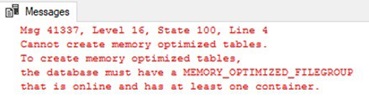
This means exactly what it says… in order to have in-memory objects, you must create a special filegroup in order to hold the objects.
As ever, you can do this in 2 different ways… t-SQL and SSMS. So let’s go:
SSMS
This is simple enough to do and goes as follows:
Go to your database Properties and you’ll see something similar to this…
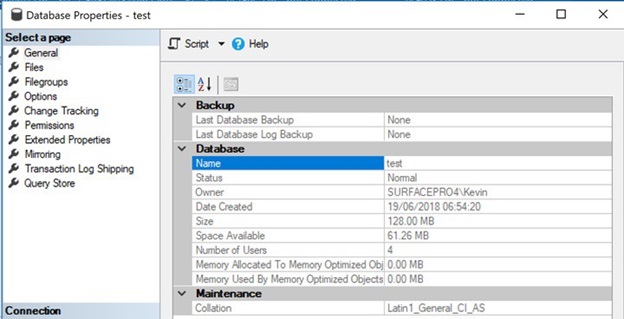
Click on Filegroups…
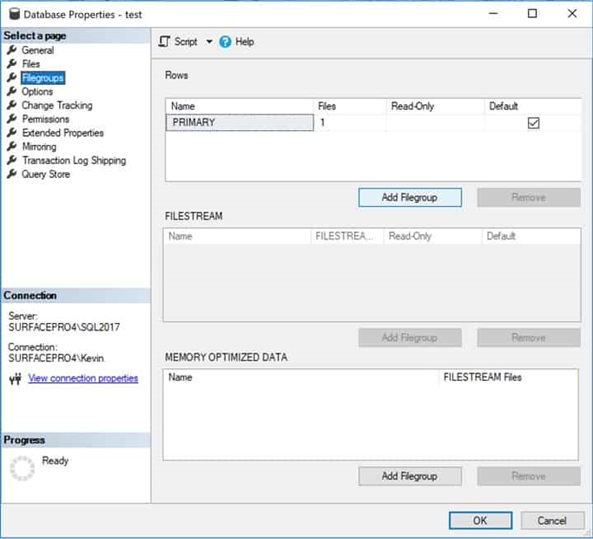
You’ll notice that the bottom pane says “MEMORY OPTIMIZED DATA”. You’ll want to add a filegroup here using the “Add Filegroup” button just below the pane and name it to anything you like…
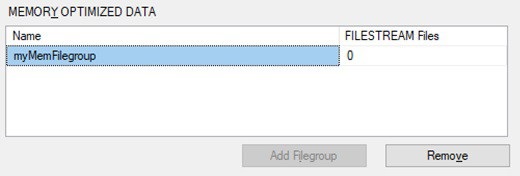
Now you can go back to the Files screen…
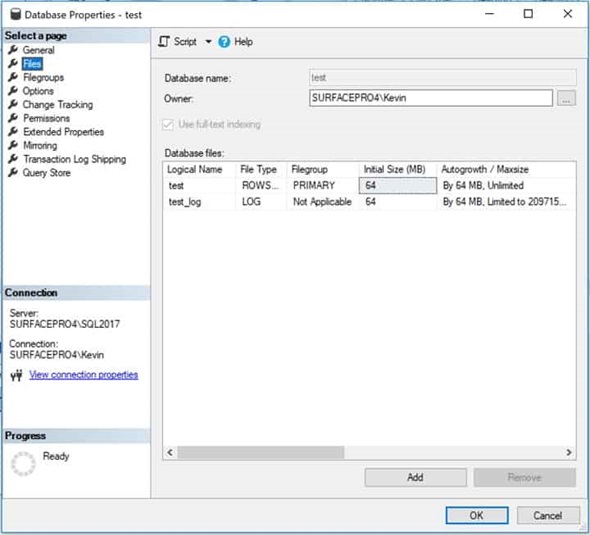
Hit the Add button at the bottom, name your new file, and then access the “File Type” drop down box…
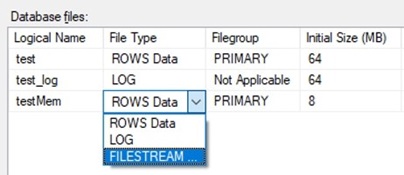
You’ll need to select “FILESTREAM Data”… which will then allow you to access your new filegroup…
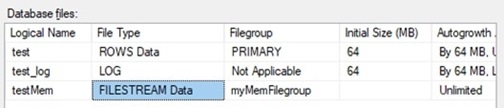
That’s it… you now have your in-memory filegroup and will now be allowed to create in-memory objects as you please.
Note that this has no Initial Size settings because it’s in memory and therefore not disk bound in any way.
T-SQL
For those of you wanting to do this in code, we follow the exact same process (add filegroup, add file). Therefore, the above is as simple as the following:
Any issues, just let me know.
Much as you would like to, you cannot simply open a database and create in-memory objects… SQL Server will give you the following error:
This means exactly what it says… in order to have in-memory objects, you must create a special filegroup in order to hold the objects.
As ever, you can do this in 2 different ways… t-SQL and SSMS. So let’s go:
SSMS
This is simple enough to do and goes as follows:
Go to your database Properties and you’ll see something similar to this…
Click on Filegroups…
You’ll notice that the bottom pane says “MEMORY OPTIMIZED DATA”. You’ll want to add a filegroup here using the “Add Filegroup” button just below the pane and name it to anything you like…
Now you can go back to the Files screen…
Hit the Add button at the bottom, name your new file, and then access the “File Type” drop down box…
You’ll need to select “FILESTREAM Data”… which will then allow you to access your new filegroup…
That’s it… you now have your in-memory filegroup and will now be allowed to create in-memory objects as you please.
Note that this has no Initial Size settings because it’s in memory and therefore not disk bound in any way.
T-SQL
For those of you wanting to do this in code, we follow the exact same process (add filegroup, add file). Therefore, the above is as simple as the following:
alter database test
add filegroup myMemFilegroup contains
memory_optimized_data

alter database test
add file (name='testMem', filename='E:\SQLData\testMem') to filegroup
myMemFilegroup

alter database test set
memory_optimized_elevate_to_snapshot=on
Any issues, just let me know.