Kill All User Processes
Published: Jan 22, 2016
This is a quick and dirty bit of code which I’ve used on occasion when trying to put a database which is in single user mode back into multi user mode but which is accessed so frequently that all you receive is an error message stating you are the deadlock victim.
Again, it’s not a commonly used piece of code, but when I’ve needed it, this has been very useful.
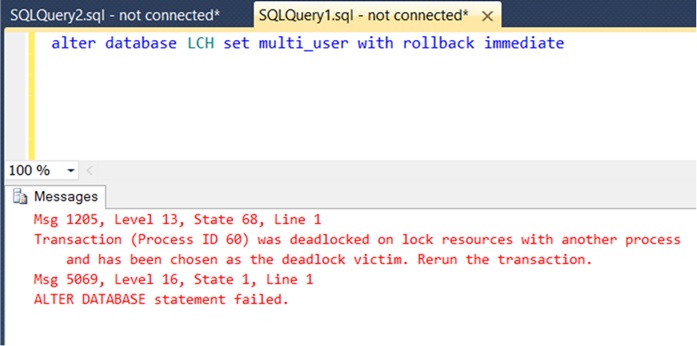
Basically, you have a database in Single User mode and you want to put it back into Multi User mode, but the problem is that you’re getting the following:
 The way to avoid this is to simply run a loop through the offending SPIDs, killing them and then immediately accessing the database yourself, therefore taking ownership of the single available connection.
This means that you can now put the database back into multi user mode.
Again, it’s not a commonly used piece of code, but when I’ve needed it, this has been very useful.
Basically, you have a database in Single User mode and you want to put it back into Multi User mode, but the problem is that you’re getting the following:
This means that you can now put the database back into multi user mode.
use master
go

declare @spid table
(
   id int identity(1, 1),
   spid int
)
insert into @spid
select spid
from sysprocesses
where dbID = 5

declare @sql varchar(100), @counter int = 1

while @counter <= (select max(id) from @spid)
begin
   select @sql = 'kill ' + convert(varchar, spid)
   from @spid
   where id = @counter

   exec (@sql)

   select @counter += 1
end
go

alter database myDatabase set multi_user with rollback immediate
go